How to Get Quality Links
In this tutorial, we'll look at how to find ideas for our link building campaigns. In this case, we'll use the SISTRIX Links module to spy on the winning link building strategies of edreams.es's competitors.
Read more
The goal of this article is to help you understand and spot the link building problems a website may have. This tutorial is a working guide that explains how to do an inbound link analysis with SISTRIX, using edreams.es as an example. It's a simple backlink audit of what you can see from the outside, without knowing the audited company and its internal ins and outs.
They have most likely already taken everything I say here into account internally at some point. I know first-hand that it's hard to manage projects this big, with technical debt, huge teams and wildly different internal priorities, so this isn't meant as criticism at all.
Whether you've been hired to clean up a link penalty or you simply get a surprise while auditing a site, sooner or later it's time to analyze a backlink profile.
In this tutorial we'll analyze the site edreams.es step by step, as if we were starting a backlink review project.
SISTRIX is a very good tool for this kind of study because it has one of the largest link databases since the integration with Majestic. There's a myth that this isn't the case, but I encourage you to test it for yourselves. What's more, SISTRIX doesn't limit features the way other tools do.
Another thing I like about SISTRIX is that it sorts external links by the host's Visibility Index, which is, in a way, an indicator of the domains Google considers trustworthy.
People always say the best link is one that brings traffic (besides being topically relevant), so this indicator is very useful for finding low-value links if we sort from lowest to highest visibility in the Links report:
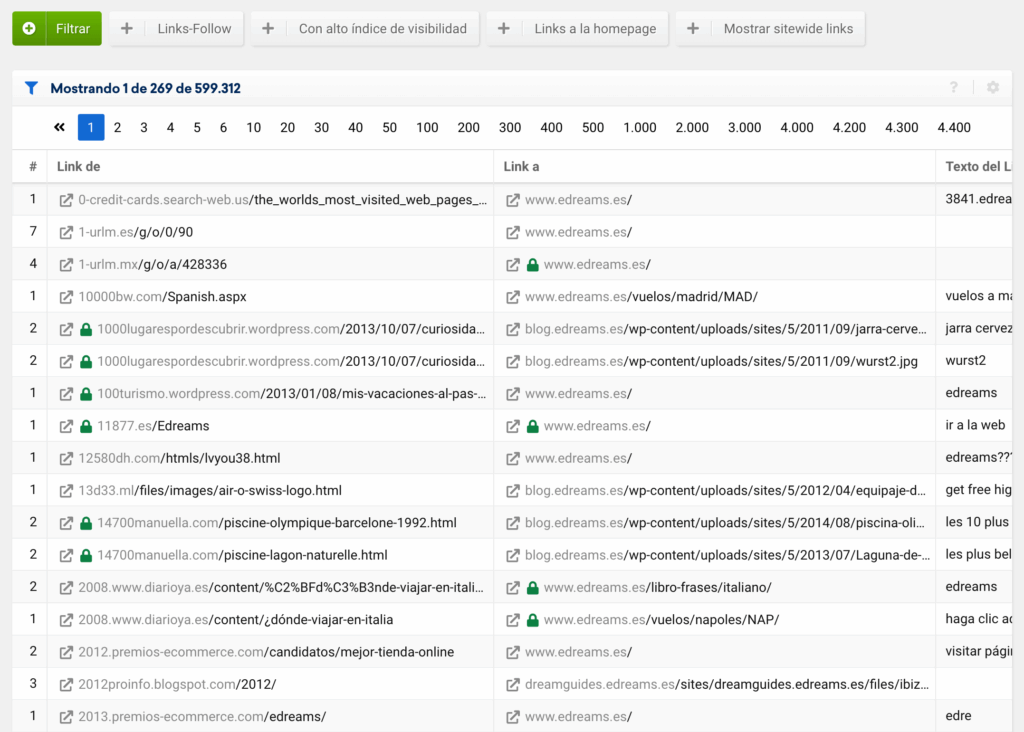
It's also useful for finding interesting sites to publish content on, as you'll see in this article, if we sort from highest to lowest visibility.
When we search on Google, we aren't actually searching the internet. We're searching Google's index. Google's index is like a library catalog, where you can find every book the library holds.
Google tries to gather all the information that exists and organize it so that people can find it when they search. For each query, Google may have anywhere from thousands to millions of possible results, but it tries to rank them based on how relevant and useful they are.
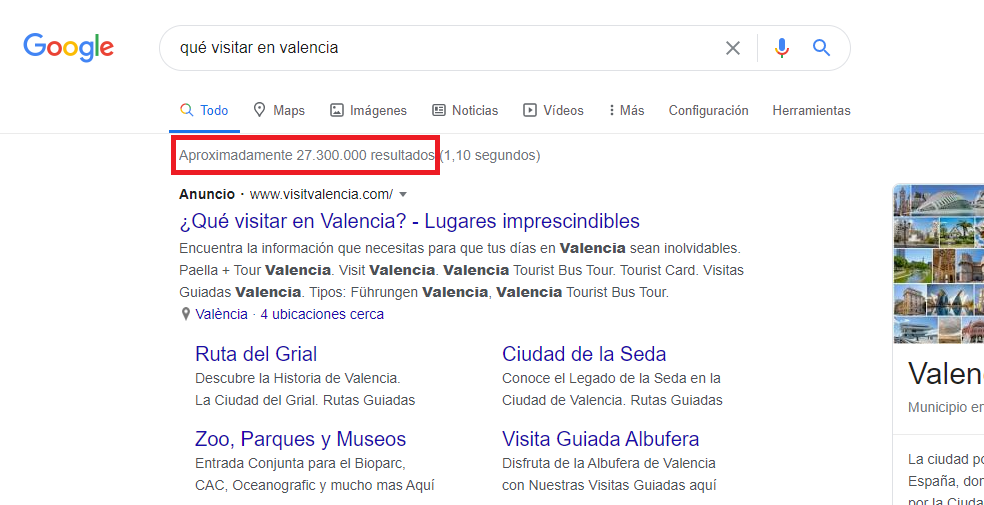
There are roughly 27,300,000 results on Google for the query “qué visitar en valencia” (what to see in Valencia)
One of the ways Google discovers all the web pages out there is by following the links (also called hyperlinks) inside them. It does this with crawler robots, also known as “spiders” or “crawlers”. This first phase is known as crawling.
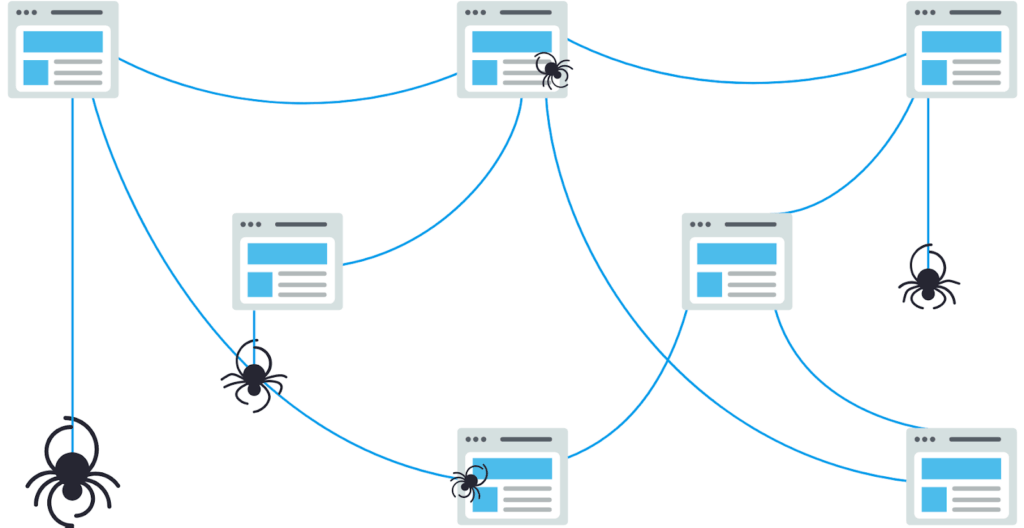
Illustration of the crawling process. Source.
Once Google has found a web page, it stores the page's content and organizes it in an index (unless we stop it with the methods that exist for that) so it can be retrieved later. This would be the second phase, known as indexing (more info here).
The third and final phase would be ranking. As we mentioned before, Google tries to show the most relevant and useful information for each query, and to do that it has to decide how to rank the results it has indexed. It does this with lots of algorithms that take into account factors such as whether the content is on the page, whether the page is easy to use, location, and how important and trustworthy that page is, among others.
To decide how important a page is, Google uses PageRank, or PR. PR is a numerical value that represents a page's importance on the web. When one page links to another, it's casting a vote for it.
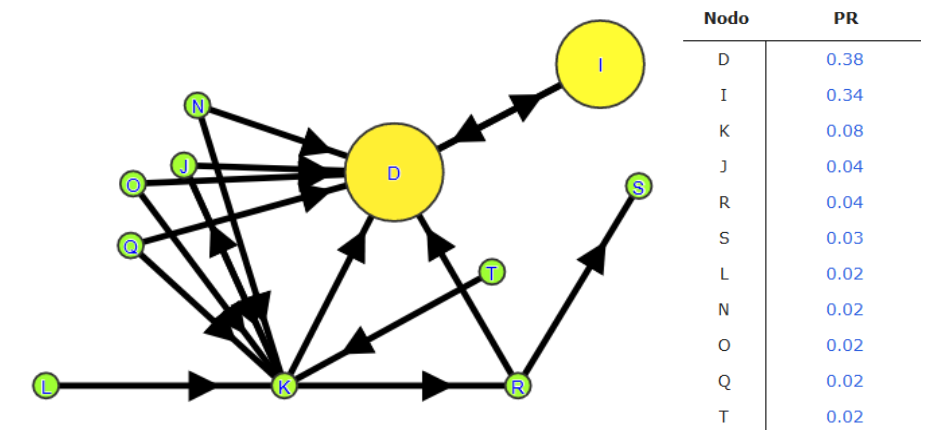
Graph showing the importance of each web page (circles) based on the links it receives (arrows). Source: my own work, using the original PageRank formula for the calculation
PR is considered one of the most important factors in how a page ranks in the search results. Someone from Google says so at minute 30:20 of this video:

That's why the more votes a page gets, the more important it must be, and the more its own votes will be worth. In short, Google calculates a page's importance from the links it receives.
Search engines like Google also take a link's anchor text into account to understand what a page is about. Anchor text is the clickable text of a link. Let's look at two examples:
|
The second anchor text is much more relevant and tells search engines what the target page is about, which helps that page rank better for those terms when someone searches for “buy theater tickets” on Google.
Since links carry so much weight in how web pages are ranked, site owners have tried to manipulate them artificially.
"There are many spammy sites on the web that try to game their way to the top of search results through techniques like repeating keywords over and over or buying links that pass PageRank.
These sites provide a very poor user experience and may even harm or mislead Google's users. So we write algorithms to identify spam and remove sites that violate Google's webmaster guidelines from our results."
Source: How Google Search Works
That's why Google developed algorithms like Google Penguin (now part of the core algorithm) that try to find these artificial patterns (link schemes) and penalize the pages that take part in them. Link schemes include:
To keep our site from being penalized for taking part in a link scheme, Google created an attribute called “nofollow” (or "sponsored" for paid articles on media sites). With it, we tell Google which links we don't want it to count when calculating PageRank or passing anchor text.
More official info from Google on “nofollow” here:
Let's use the following link to show how to add “nofollow”:
| Visit our website. |
The code the page would need for a user or Google to see the link above would be:
| Visit <a href="https://www.visitvalencia.com/">our website</a>. |
And the same link with the “nofollow” attribute would look like this:
| Visit <a href="https://www.visitvalencia.com/" rel="nofollow">our website</a>. |
This way we tell Google that we're not trying to manipulate rankings with this link, and neither the source nor the target will be at risk of a penalty for taking part in a link scheme.
Without further ado, let's look at the steps you need to analyze external links with SISTRIX.
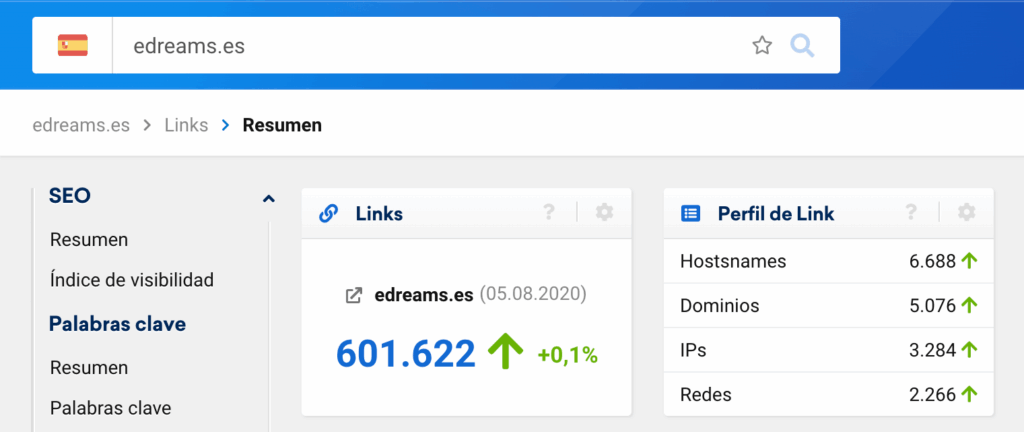
This screen has several reports that give us an idea of a website's external links.
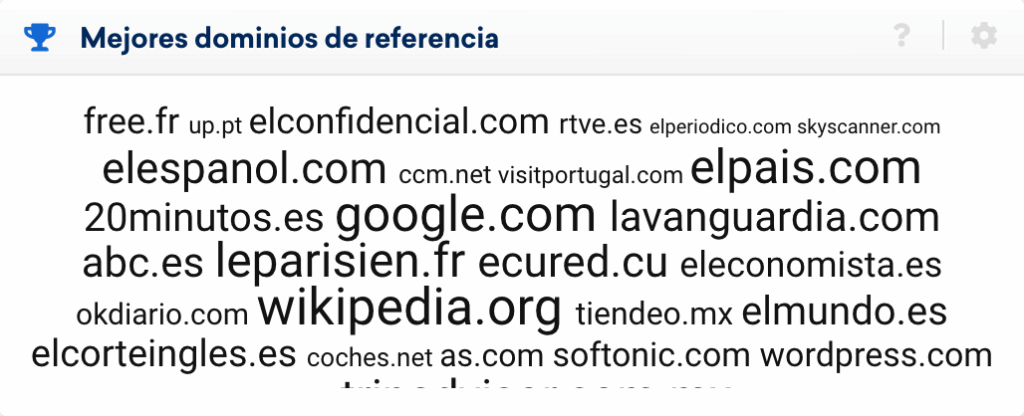
In the “Top referring domains” report we can see that, for edreams.es, most of them are general news sites with good visibility (the bigger the name, the more visible the domain), app sites and even Wikipedia (we'll talk about these Wikipedia links to edreams.es later on).
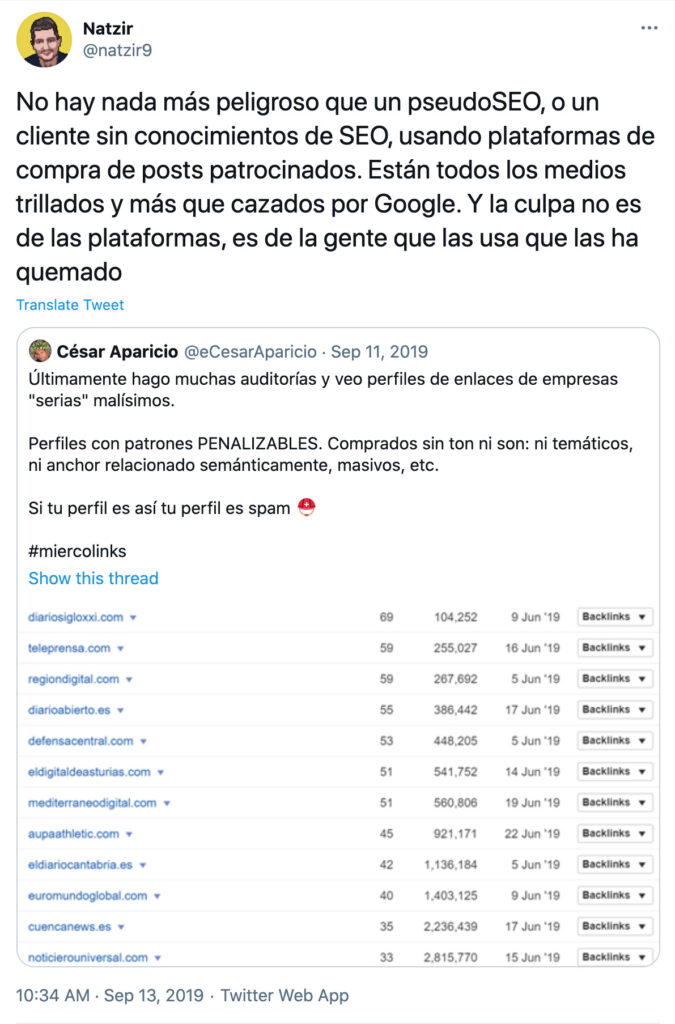
A more suspicious link profile at this point would look something like this:
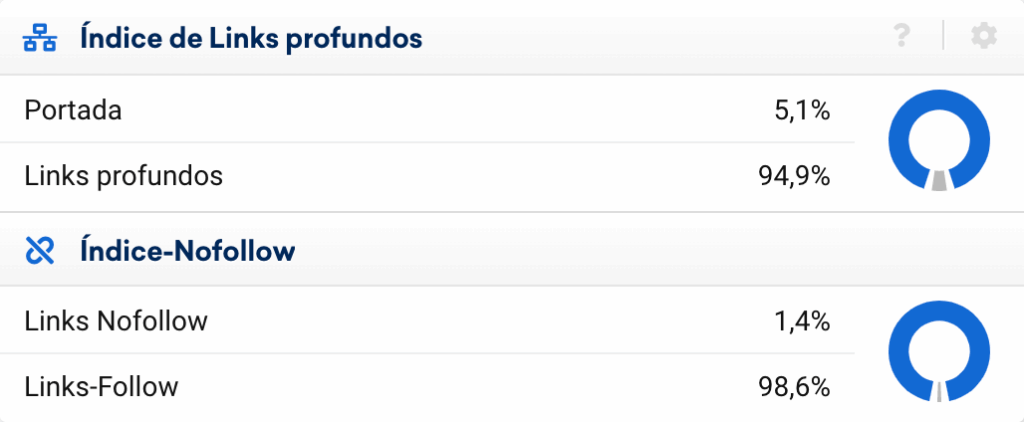
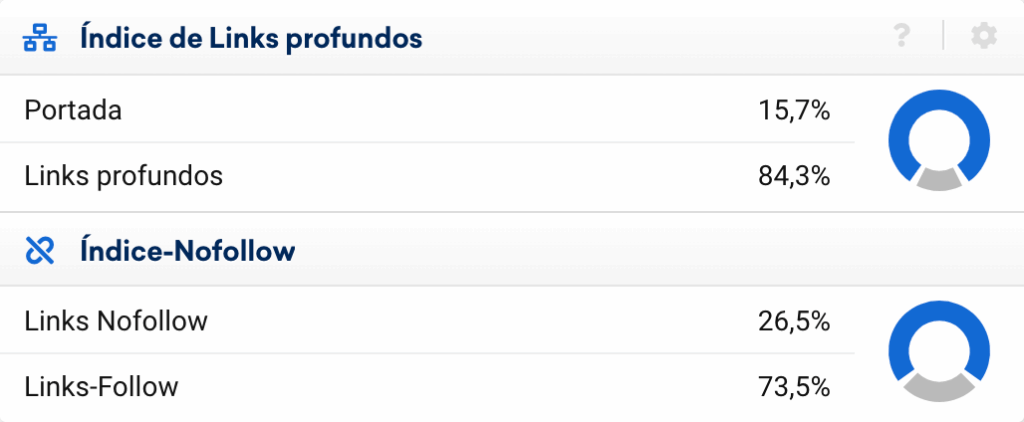
The “Deeplink ratio” report also tells us quite a lot. Having almost 95% deep links is odd, at first glance, for a site like edreams, which in my opinion has a very poor editorial content strategy.
eDreams.es
It wouldn't be so odd for a site like ZARA, where, even without an editorial content strategy, people link a lot to the products and their images.
Likewise, it would be very odd if all the links pointed to the homepage.
The “Nofollow ratio” report also suggests that the edreams.es link profile isn't all that normal, at least at first sight. In the following images you can see that the Skyscanner and Expedia profiles look more natural from the start.
Skyscanner.es

Expedia.es
As we said before, it's suspicious at first glance that, in the case of edreams.es, the homepage isn't the most linked page:
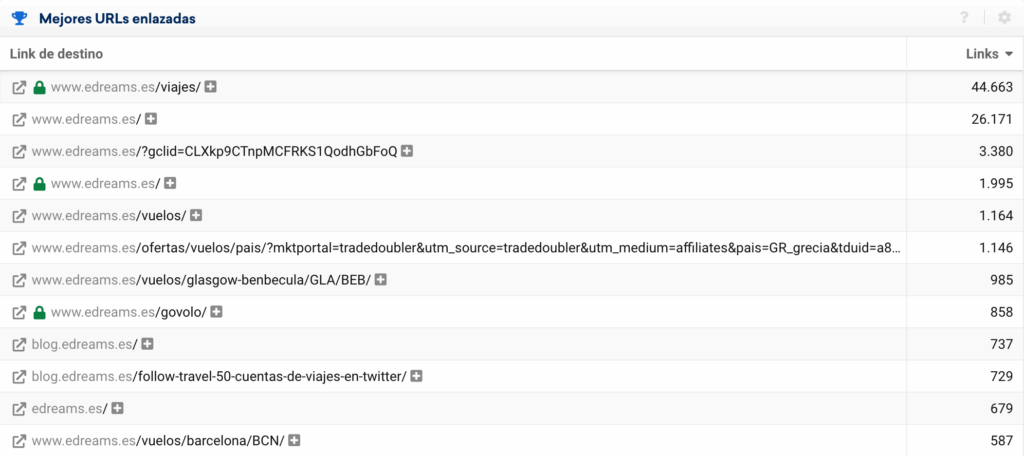
If we click the “+” next to the /viajes/ (trips) URL, we can see where so many links to it are coming from: opodo.es, which is one of eDreams ODIGEO's brands:
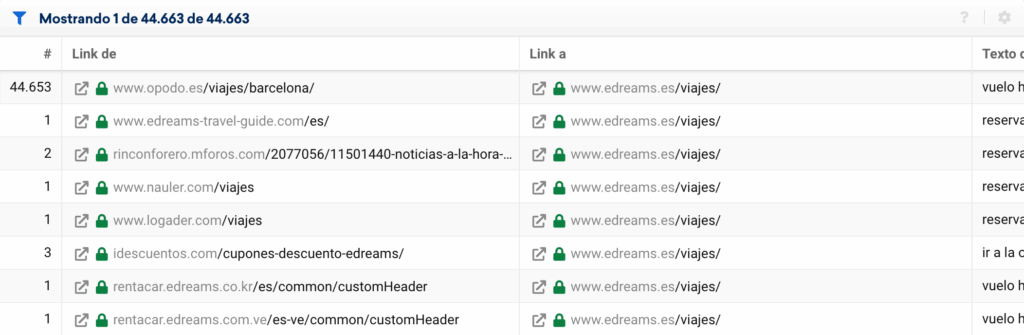
It does this with a site-wide menu link that points straight to /viajes/, using the anchor “Vuelo + Hotel” (Flight + Hotel):
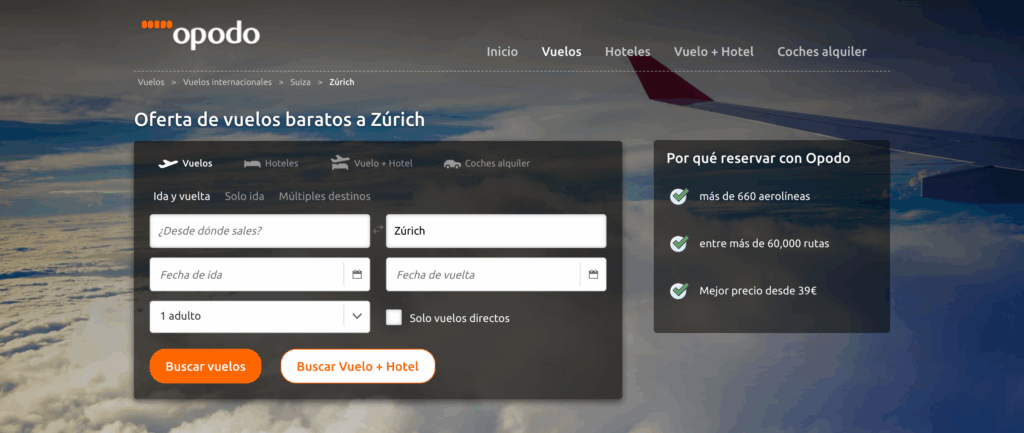
This is common practice between sites from the same group. How much weight Google wants to give it, or whether it could end up treating it as a link scheme depending on how it's done, is another matter:
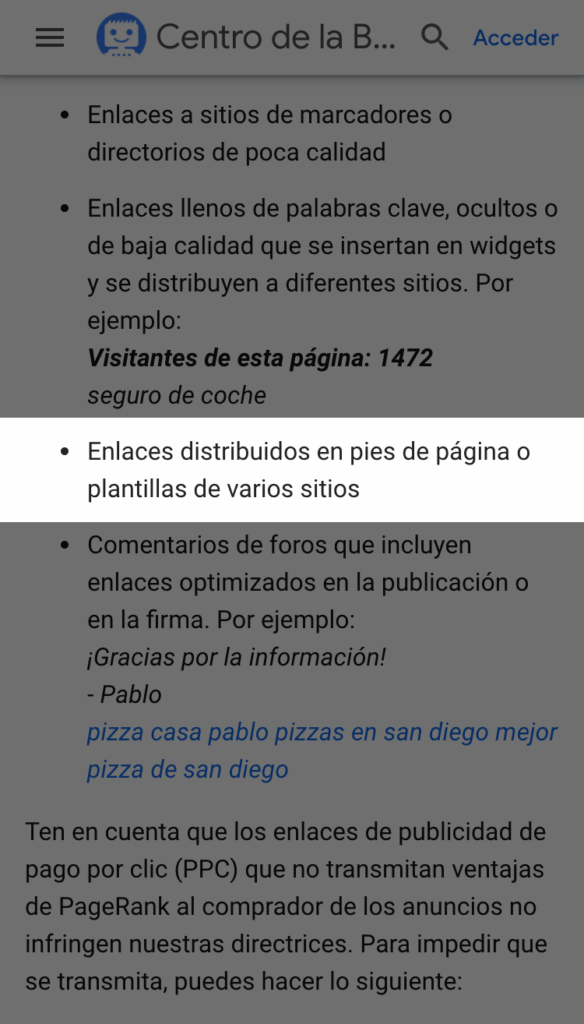
Matt Cutts recommended placing these links between sites from the same group only on the homepage, not on every page, but few sites have actually been penalized for this. If the links came from dozens of very different sites and pages, it could happen, and, as I say, it has happened to other big sites.
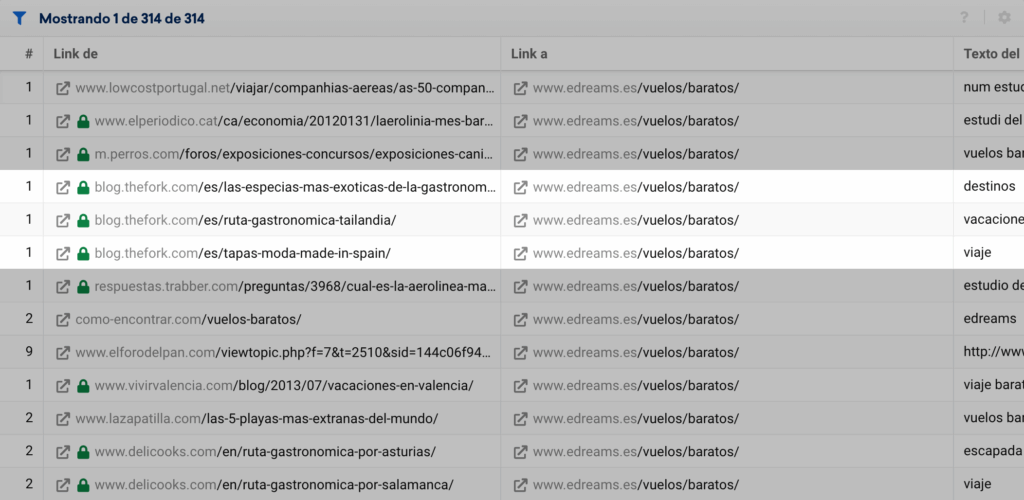
Here we can see where the external links to /vuelos/baratos/ (cheap flights) come from, another of the most linked internal pages. They seem to come from some kind of partnership between TheFork.com and edreams.es:
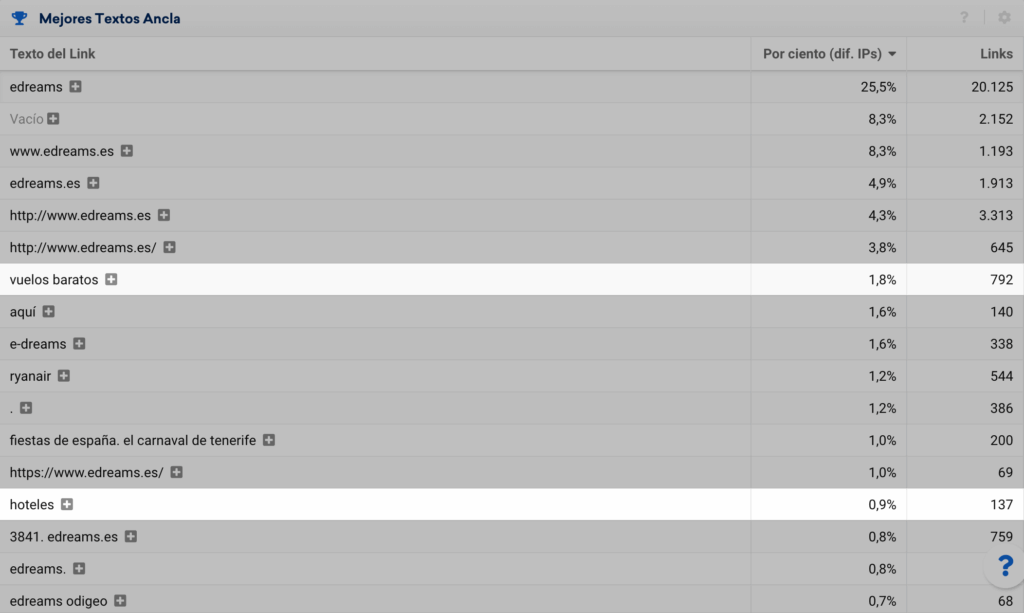
This report shows the anchor texts used to link to us. There's no good or bad percentage, but you can see at a glance that they've been playing “Russian roulette”:
If we click the “+” next to vuelos baratos (cheap flights), we can see the sites those links come from:
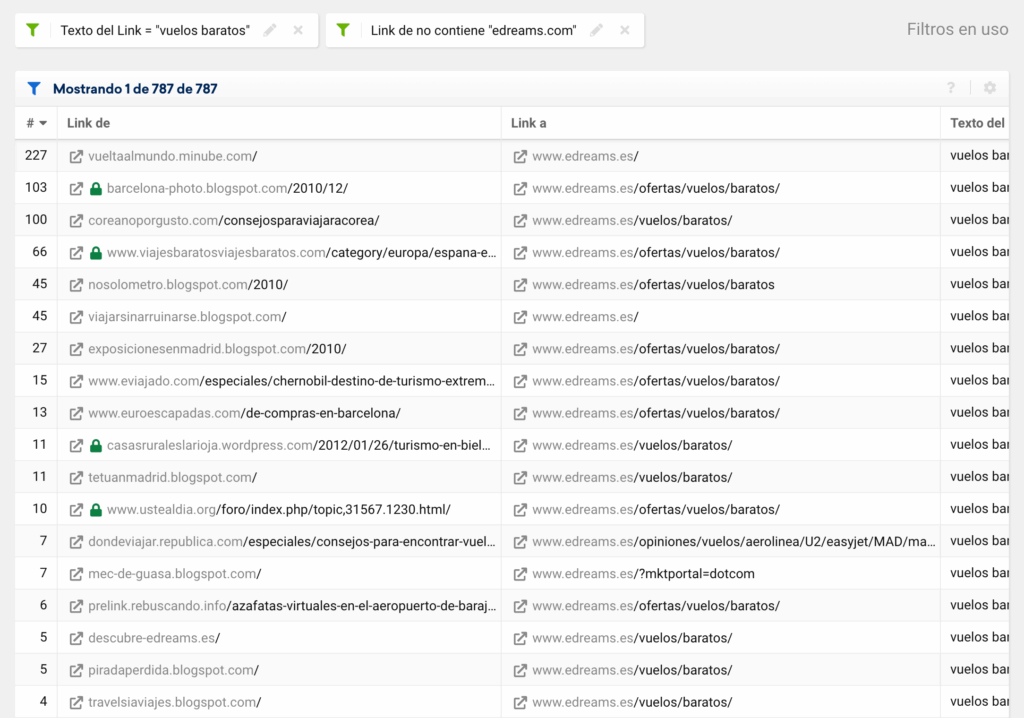
At first glance, judging by the dates of the articles with those anchors, they followed a very aggressive link building strategy in the past. For example, we can find links from forums with the anchor “vuelos baratos”, posted by brand-new users:
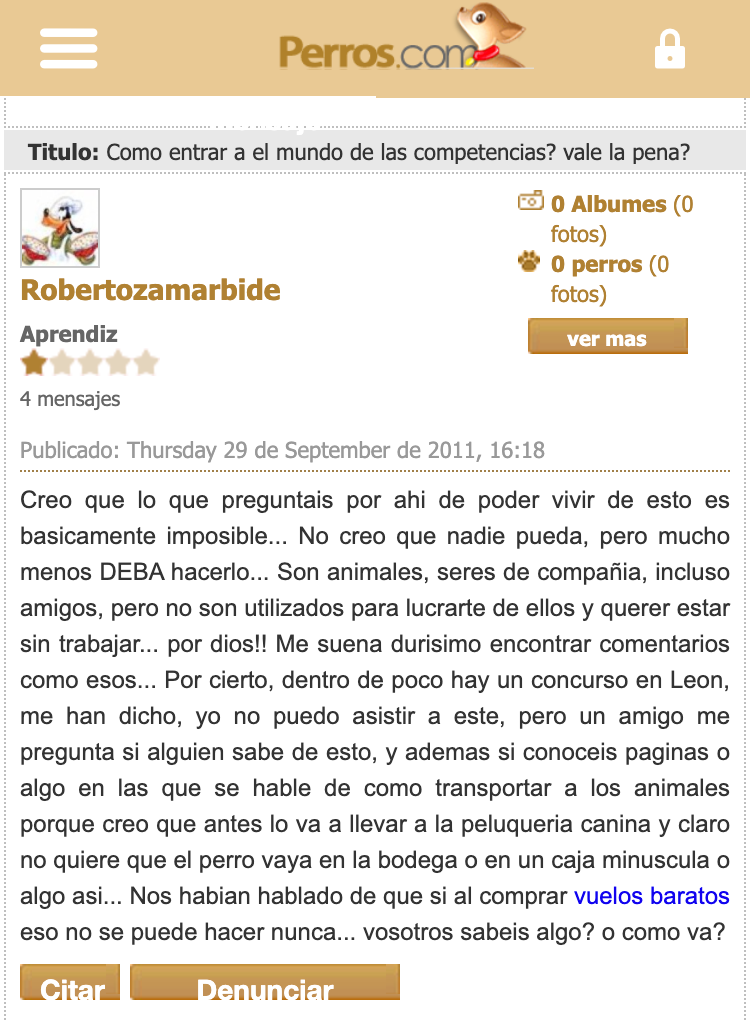
Seeing links like these with these anchors, I think they very likely got a manual action for links at some point in the past.
You can see this same old pattern for other URLs, like the one for "hoteles en barcelona" (hotels in Barcelona):
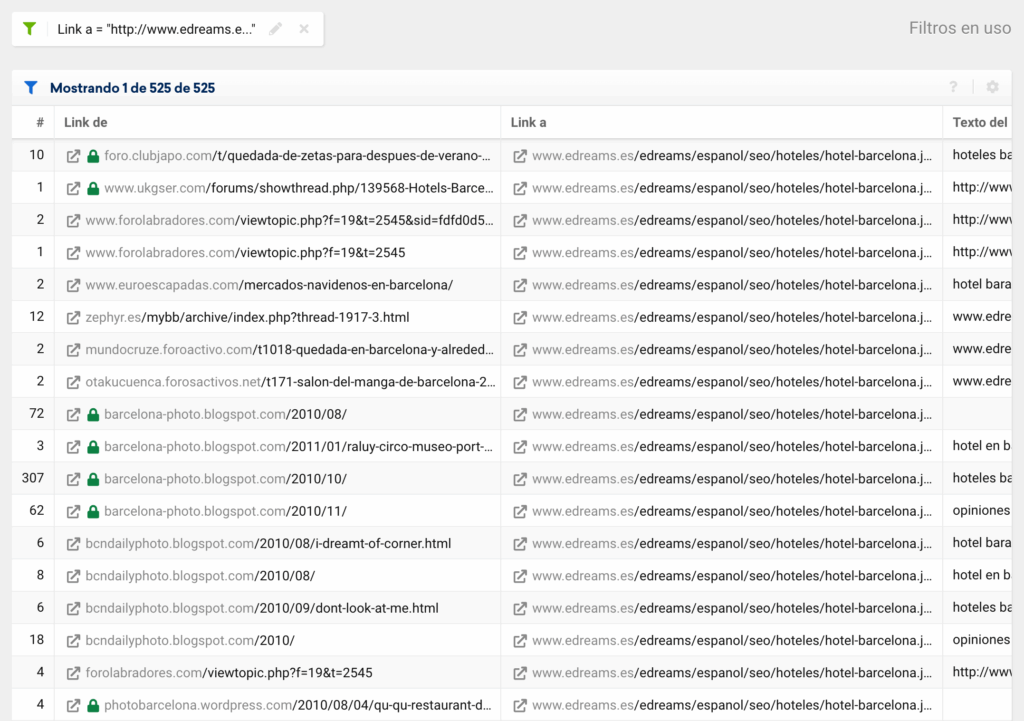
Fun fact: those edreams.es URLs include /seo/ in the directory. This is something pretty funny that I come across now and then. It usually happens because the SEO team asks for some development work and IT adds the word “seo” to it 🙂
After Penguin, Google wrote a guide on its blog about what to keep in mind when getting links, with examples of what not to do:
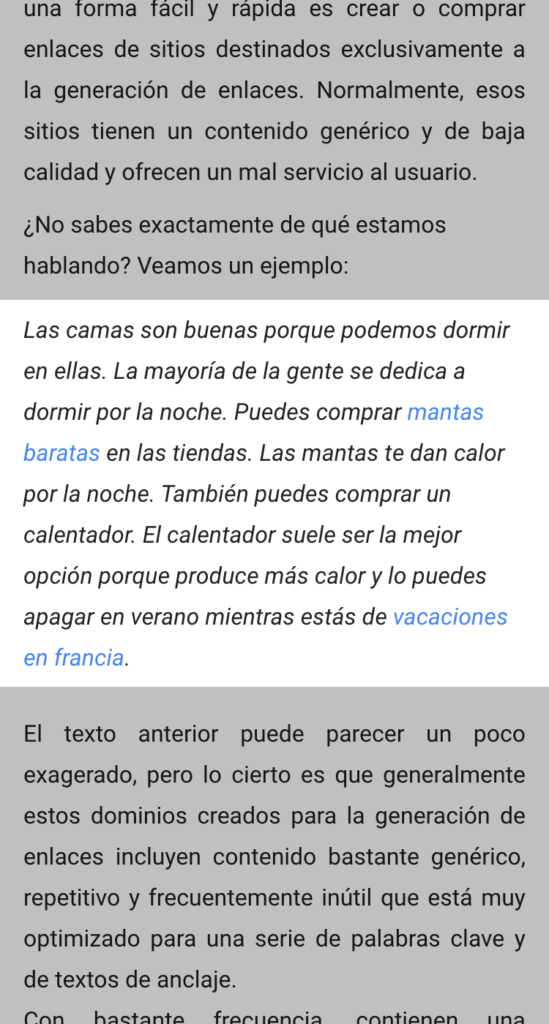
This means many of the links edreams.es got back then go against Google's guidelines.
The funny thing is that I still see this in 2020, and we never learn. Here are some examples from a site that was recently penalized by Google for doing this kind of thing:
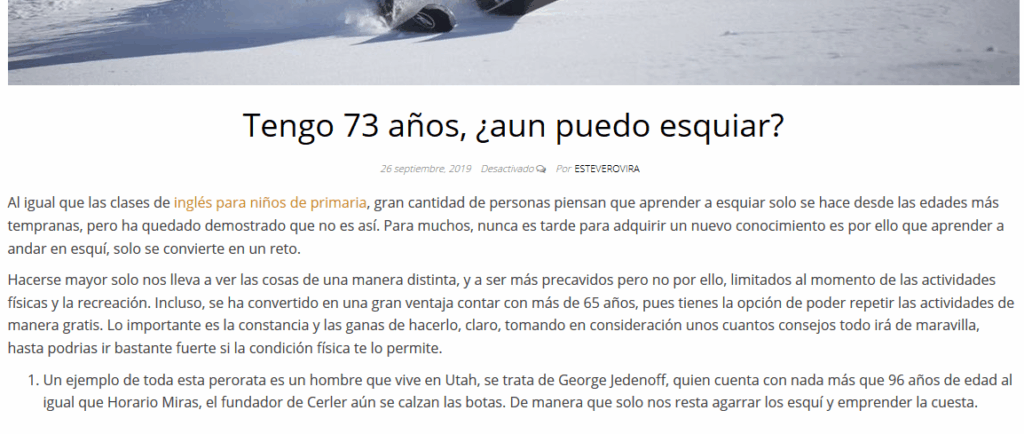
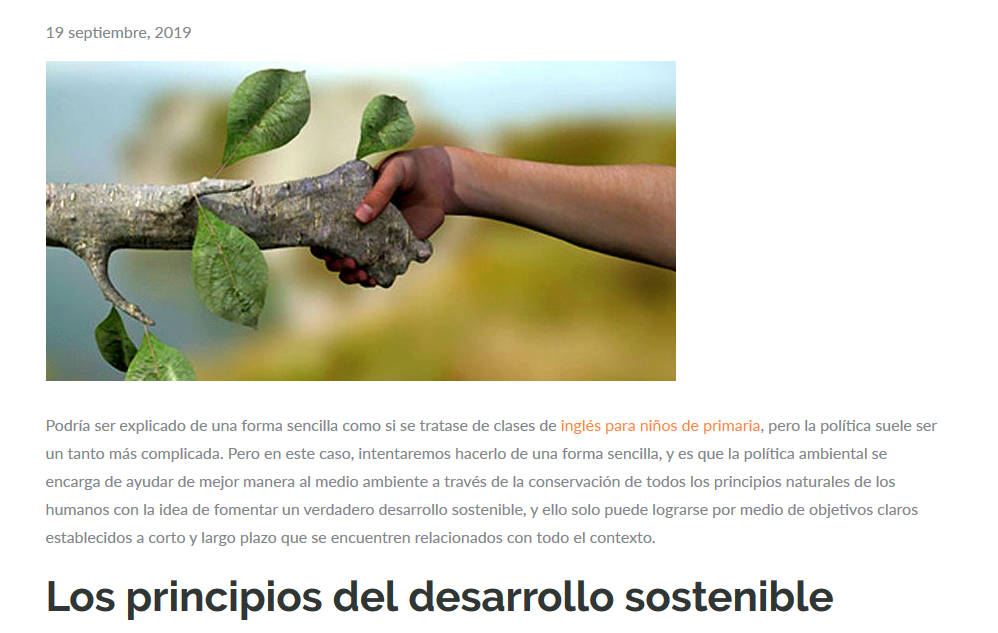
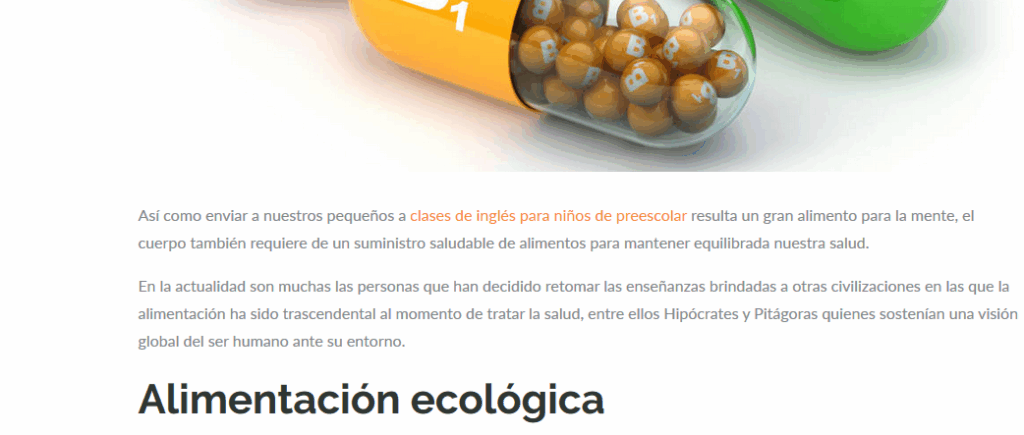
At best, these articles don't help the site rank better for those keywords (it's throwing money away), and at worst you can get a penalty.
If you ever see this and you have a manual action for links, don't be afraid to disavow all the links of this kind and file a reconsideration request.
When I have to clean up external links, I also use the ones Search Console detects. What I do is download them all and analyze the anchors with Screaming Frog, since Search Console still doesn't let us cross-reference this information. Another way to get the Search Console data is to do what we'll see in step 4 with SISTRIX.
A tip: when it comes to anchor text, I let the writer of the article link to me however they want. Speaking of anchor text, I'd also like to bust the myth that branded anchors are bulletproof. You can also get a penalty for branded anchors if they come from suspicious sites.
In this case I don't have access to the edreams.es Search Console or Google Analytics, but we can connect SISTRIX to other tools to pull links from every possible source, not just from the SISTRIX crawler and Majestic. We'll do this with LinkRating:
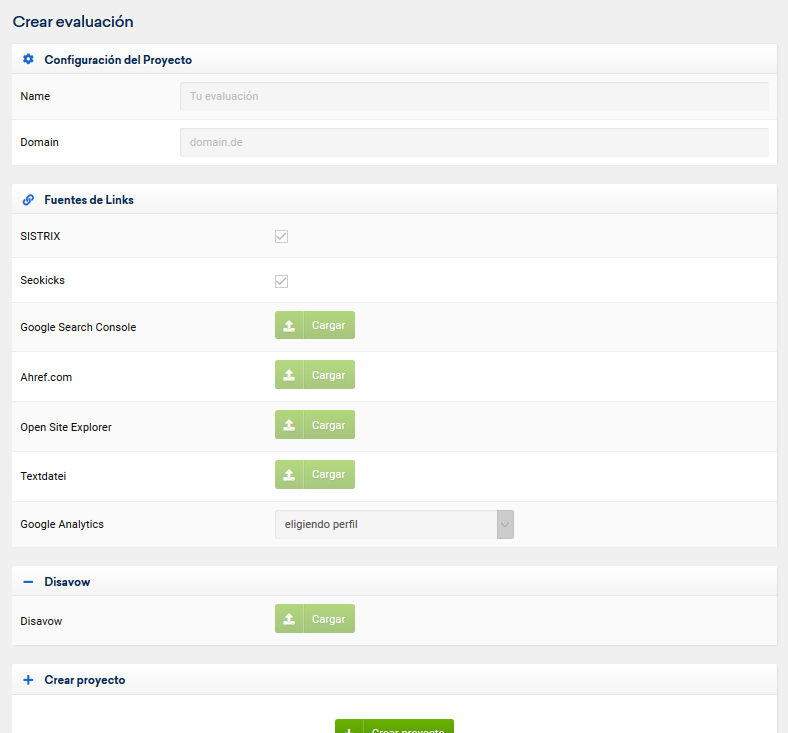
As you can see, besides pulling links from Search Console and Google Analytics referrals, we can upload a file from Ahrefs, OpenSiteExplorer or any other source. This way, by following the other steps in this tutorial, we can do a much more thorough analysis:
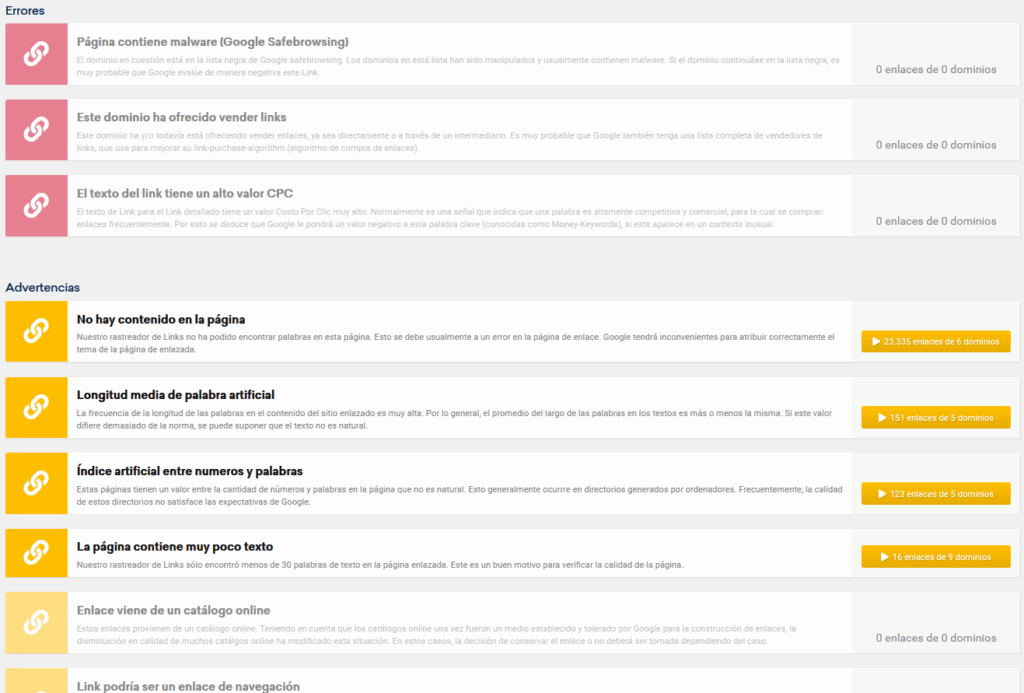
We can't afford to lose links we've earned over time because of past URL changes. If a link from a media outlet can easily cost €2,000, how much money have you lost by not checking your links?
With SISTRIX we can recover tons of links very easily, and it's something I always do first thing when I start a project. This step alone is enough to cover what your client pays for an audit 🙂
You can see this in the “Links > Broken links” report. On that page, click “Check availability” and wait a few seconds:

When it finishes processing, we'll see the broken links and links with other issues:
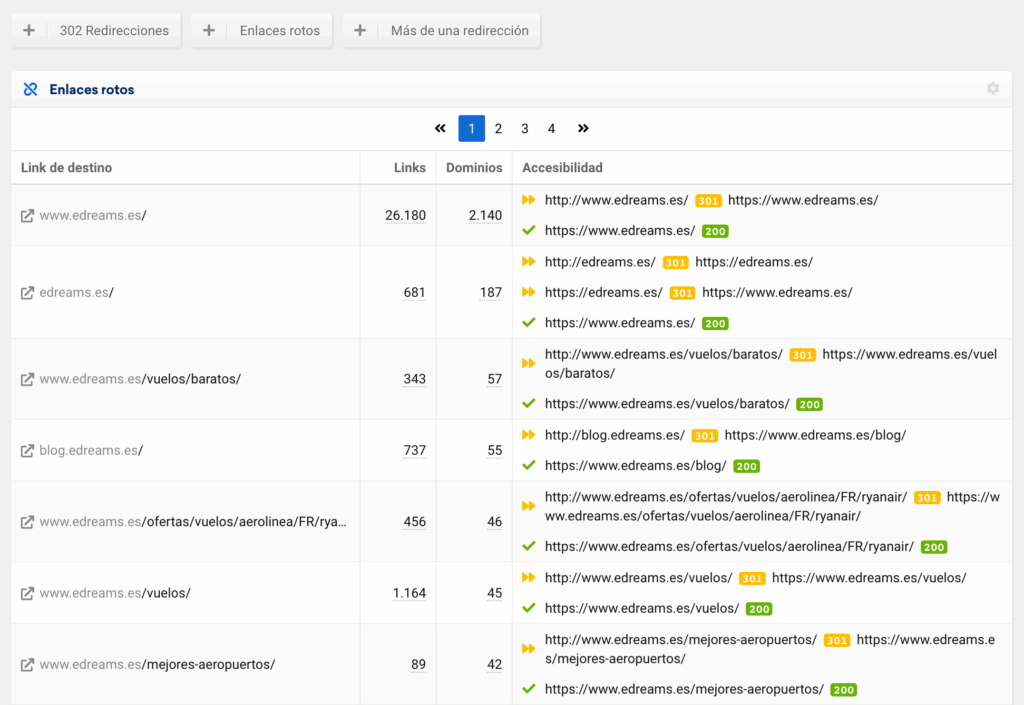
If we use the “Broken links” filter at the top, it shows us the most linked URLs on our site that return a 4XX code:
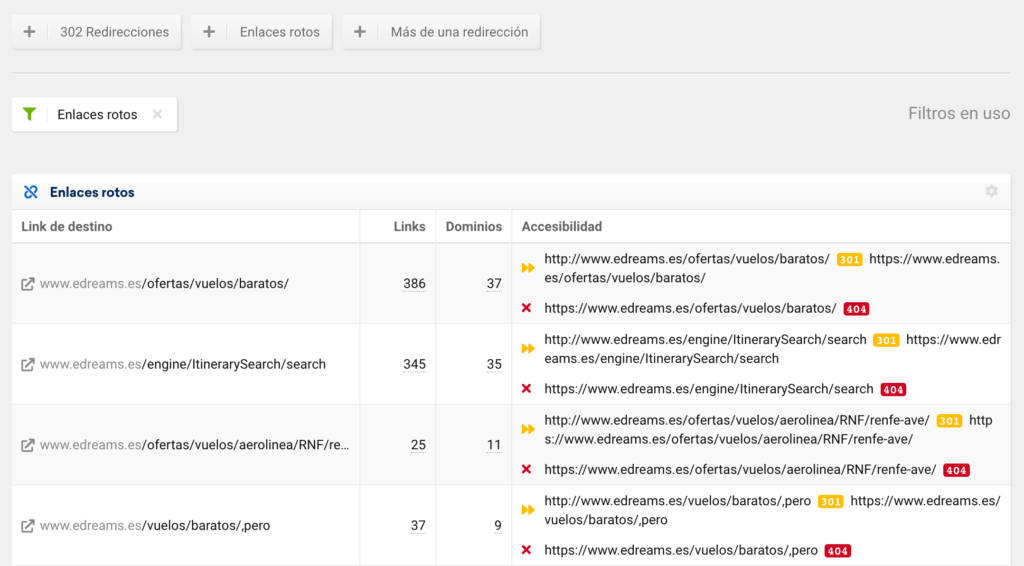
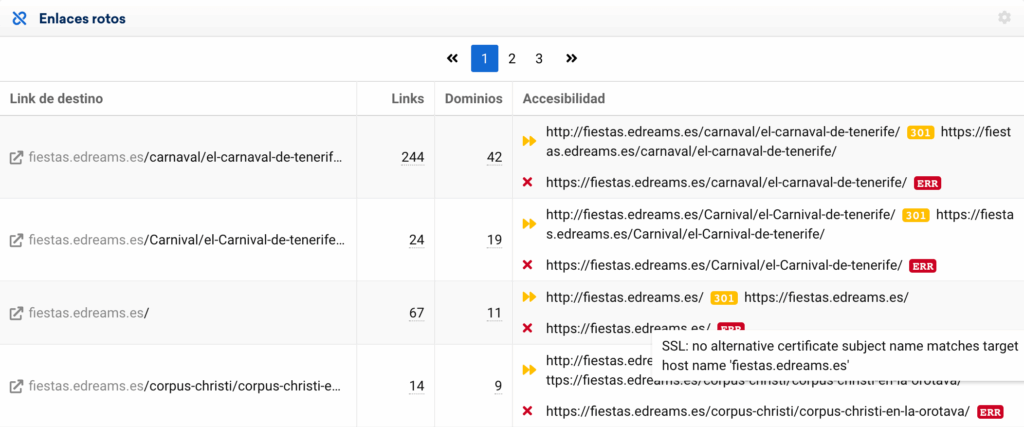
I prefer to work on this report in Google Sheets so I can filter it better, since SISTRIX doesn't currently let you filter by any status codes other than the ones in the top menu (302 redirects, more than one redirect or broken links).
If I hadn't done it this way, I would have missed these broken links, because they throw a certificate error, so a browser can't get through to see the final status, which is actually a 404.
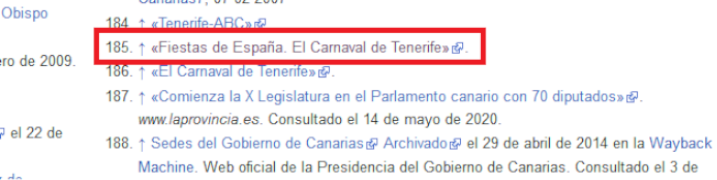
Thanks to filtering in Sheets, we can see there are links from Wikipedia, among other authoritative sources, that end up in a 404:
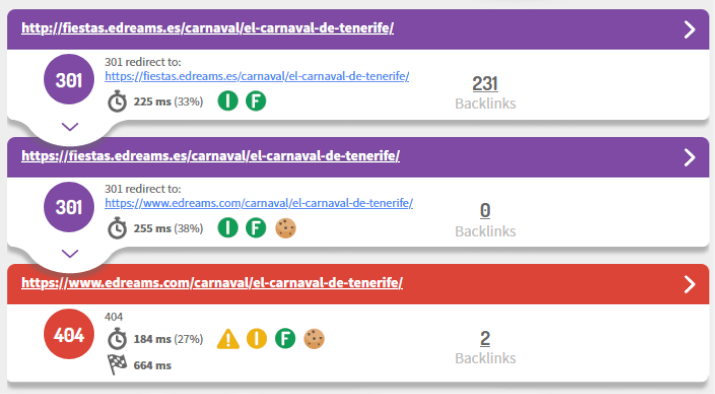
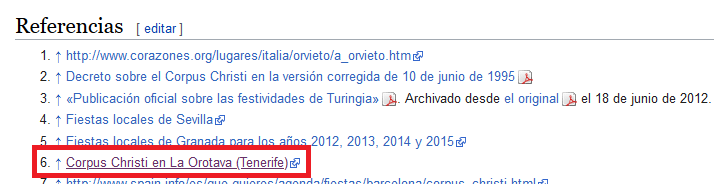

It looks like both the “fiestas” and “dreamsguide” subdomains were badly migrated, and they're a source of quality links to edreams.es. I think it would be worth recovering the content with tools like Archive.org: https://web.archive.org/web/20110715000000*/http://fiestas.edreams.es/corpus-christi/corpus-christi-en-la-orotava/
Or at the very least, redirecting those URLs to equivalent content on edreams.es.
Another broken URL with lots of links is “/ofertas/vuelos/baratos/” (cheap flight deals):
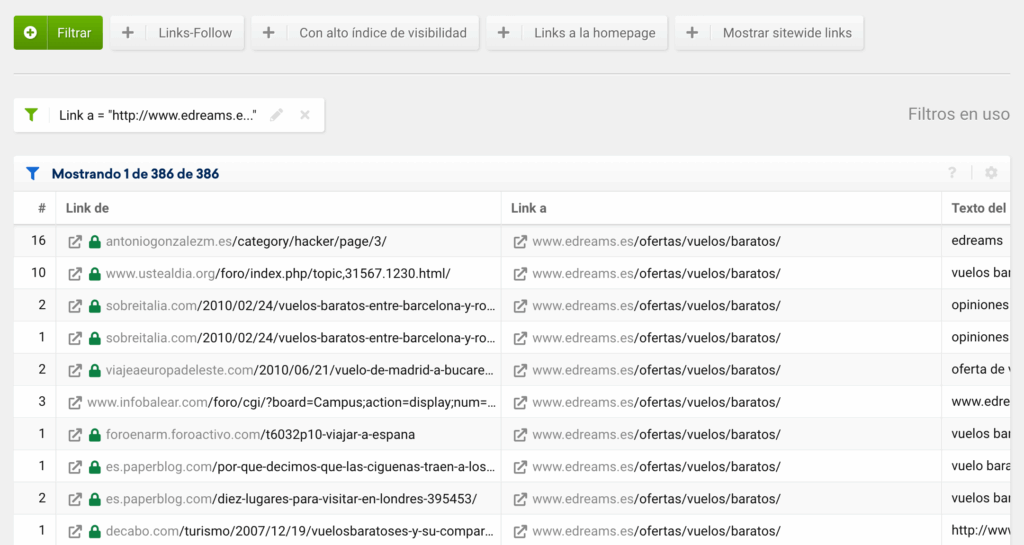
This URL has an equivalent at https://www.edreams.es/vuelos/baratos/, but for some reason I don't know, it isn't redirected (it may have been a URL penalized in the past that they let die, but that's a big assumption).
You can see this in the “Links > Lost links” report. These are links we used to have that have disappeared for some reason.
If it's a link you paid for, it's pretty annoying. That's why, when I buy a link, I try to do it with a contract that guarantees a type of link and a minimum time online. Otherwise, they have to refund the money or put the link back.
Some media outlets sell you links and then add a nofollow, or “hide” the link with a redirect to a directory blocked by robots.txt.
It's as simple as checking the SISTRIX “Lost links” and “Broken links” reports for your competitors' domains.
If we see a URL with lots of broken links, and we have similar content (or could create it), we then look at the links to find where they come from:
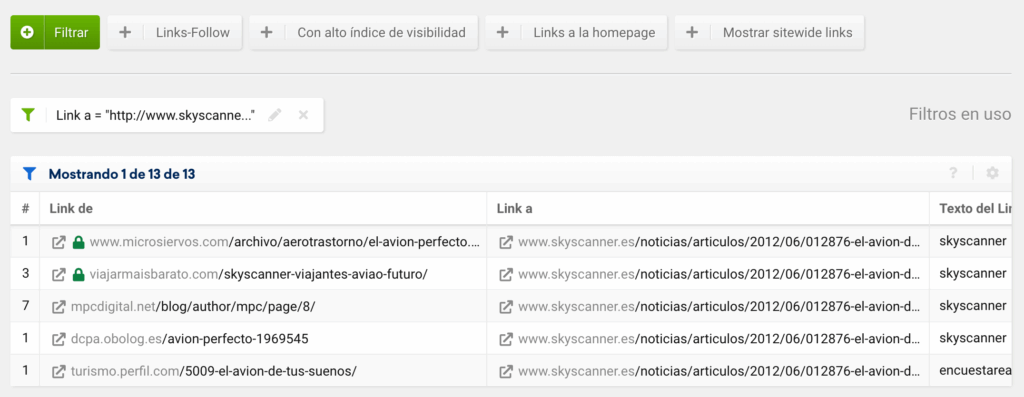
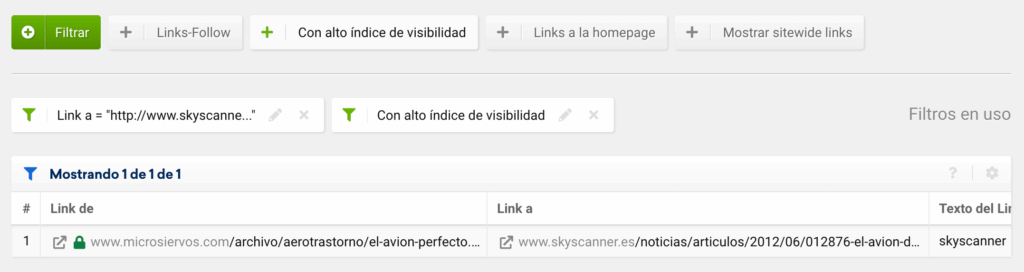
We can also click the “High Visibility Index” filter to narrow them down if there are many and we only want to keep the best ones:
Once we've seen this, we'd need to contact those sites and ask them to add a link to our equivalent content, explaining that they have a link that doesn't work. In my experience, this kind of outreach gets better results if we pose as a regular user and don't use a corporate email address.
A tip for creating that equivalent content: you can use the content pulled from Archive.org as a starting point.
We've seen five steps for auditing links very easily with SISTRIX. If you want more information about how the links module works, here are a couple of guides:
In upcoming articles we'll look at:
In this tutorial, we'll look at how to find ideas for our link building campaigns. In this case, we'll use the SISTRIX Links module to spy on the winning link building strategies of edreams.es's competitors.
Read moreMaking accurate decisions in the volatile world of SEO can be challenging, especially when facing complex and unfamiliar situations. In this scenario, the Cynefin framework can guide us in managing SEO projects in an increasingly VUCA (Volatile, Uncertain, Complex, and Ambiguous) or BANI (Brittle, Anxious, Non-linear, and Incomprehensible) environment. At the end of this article, […]
Read more