In this post I'm going to show you the hidden gems SISTRIX has for doing keyword research.
But first, a quick aside. Talking with other SEOs, I've realized that they aren't aware of everything SISTRIX can do for them.
One thing I keep hearing about SISTRIX is that doing keyword research with it is complicated, and they're absolutely right. Or rather, they were. Has anyone taken a look at Keyword Discovery? It's a whole different story 🙂
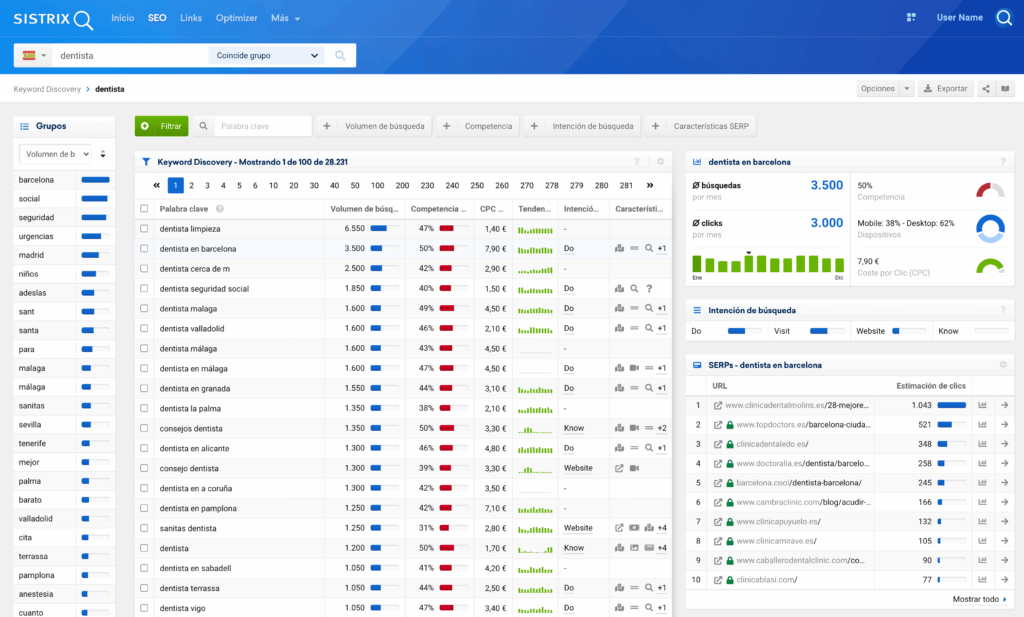
Another common complaint is that SISTRIX doesn't show search volume. That has recently changed, and not only that: it now gives you all the information about any keyword you look up.
What's more, after running several tests against other SEO tools, I've found that SISTRIX has the most accurate search volume data (for example, compare the numbers for “led” vs “leds” in every tool you have and you'll see what I mean).
SISTRIX also buys keyword and search data from 11 different providers, something no other tool on the market has matched, and it wasn't affected by the Jumpshot shutdown (Jumpshot was Avast's clickstream data company). So SISTRIX, my friends, is a safe bet.
Now let's see what surprises it has in store for us!
Discover new related keywords
The “Keyword Environment” report lets us enrich our keyword research around a specific query.
There are plenty of Google patents and papers about “query expansion” (1,2,3,4,5…), the process of showing alternative results based on terms related to the user's query, with the goal of improving result quality.
The most common “query expansion” methods include lemmatization and stemming, typos (“britney spears” is searched for in 600 different ways) and the use of synonyms.
Fun fact: you can still see that last method in action today. Back in the day, you could put the “~” search operator in front of a word to include synonyms (and “~~” to exclude them). Including synonyms stopped working once Google started including them by default, but you can still exclude them.
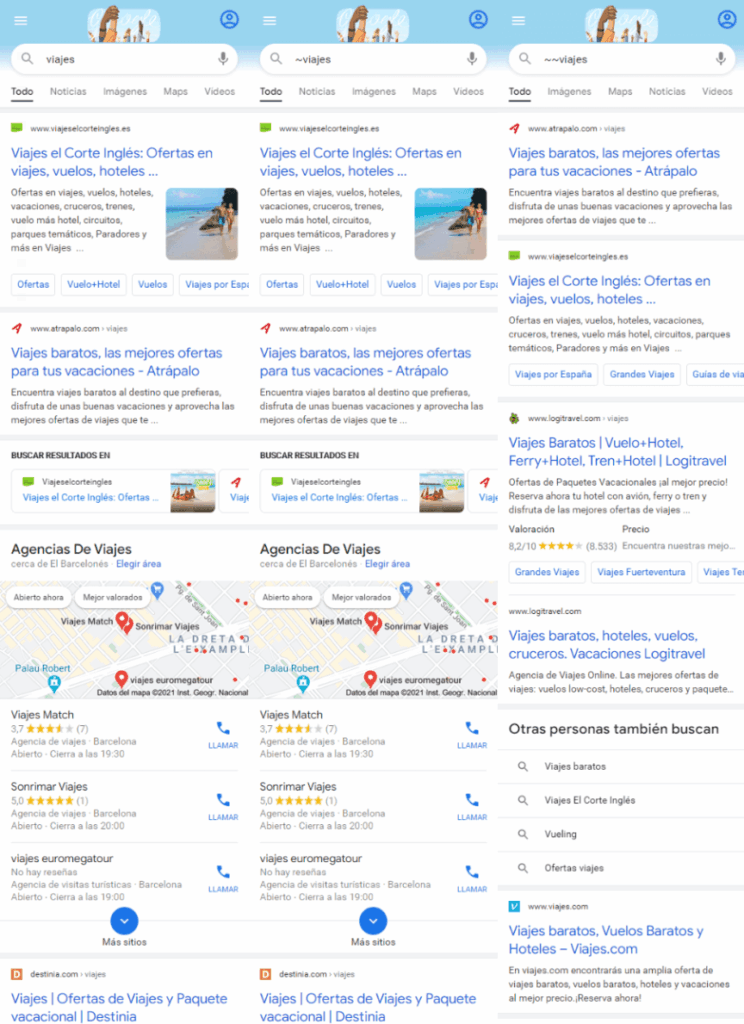
For “viajes” (travel) and “~viajes”, Google shows the same results, since synonyms are included by default. But for “~~viajes” the results change, because synonyms are excluded.
The problem with synonyms is that their meaning can change depending on the context (something Google tries to mitigate by translating the term into another language and back again to check that the meaning holds), and that it's hard to find synonyms co-occurring in the same sentence (unless you talk like Iker Jiménez, a Spanish TV mystery-show host known for his dramatic, wordy way of talking).
That's why, for years now, Google hasn't just looked for synonyms of the query to deliver better results. It also uses:
- Searches that co-occur in the same user session. For example, if I search for “how to become a dentist”, I'll probably search for “how to become a dental assistant / dental aide / dentist's assistant” next
- Close co-occurrence of those terms in the documents shown. For example, the top results for the query “cat” will probably also include the term “feline”.
In short, when we search, Google also shows results for related words that are relevant because they are semantically similar (co-occurrence is a signal of semantic similarity).
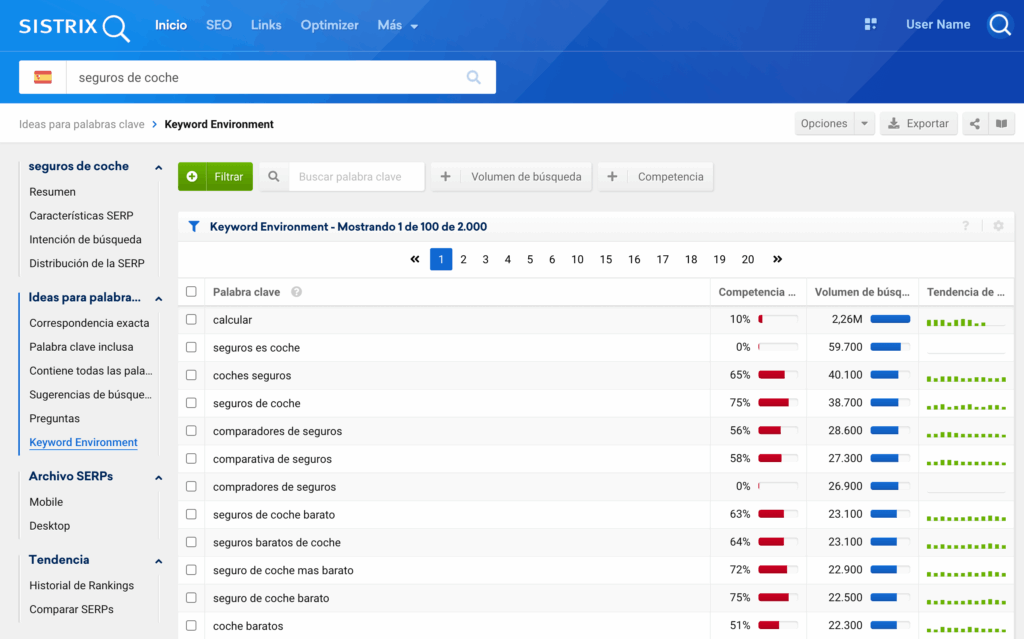
What SISTRIX's “Keyword Environment” report does is take the top 10 URLs ranking for the seed keyword and then look up which other keywords those URLs rank for, so you end up with a long list of related keywords.
For “seguros de coche” (car insurance), the “co-occurrences” include calcular seguros de coche, comparador seguros de coche, precios de seguros de coche (car insurance calculator, car insurance comparison and car insurance prices), etc.
Extract keywords from Google Suggest and the “Related searches” module
On the one hand, answerthepublic.com doesn't give you search volume or historical data for the suggested keywords. On the other, keywordtool.io does give you search volume and history for Google Suggest, but only in the paid version, at a price similar to SISTRIX's entire START plan.
Plus, both tools just string together word combinations that might make no sense (any word with “a”, with “1”, with “what”…), which wastes your time. And you can extract this information for free, as I explain in this video.
That's why, in my opinion, SISTRIX is the best alternative to answerthepublic.com or keywordtool.io, since it only shows you keyword suggestions that have searches and historical data.
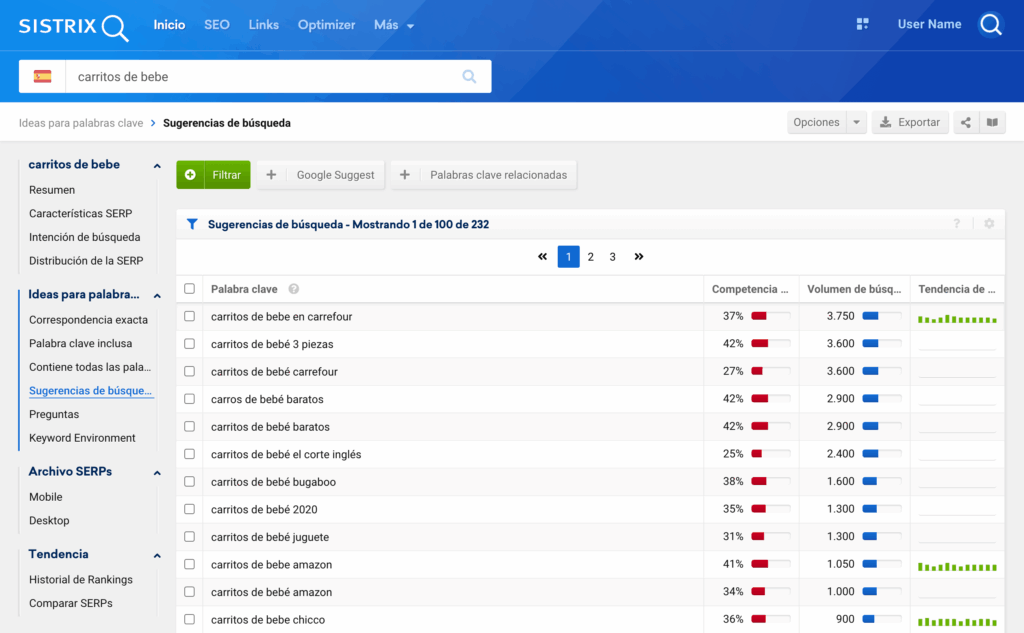
It also includes the keywords from Google's “Related searches” SERP module, but again, only if they have volume and history. Why would you want the following WTFQ (“What The F*** Query”) in your keyword research?
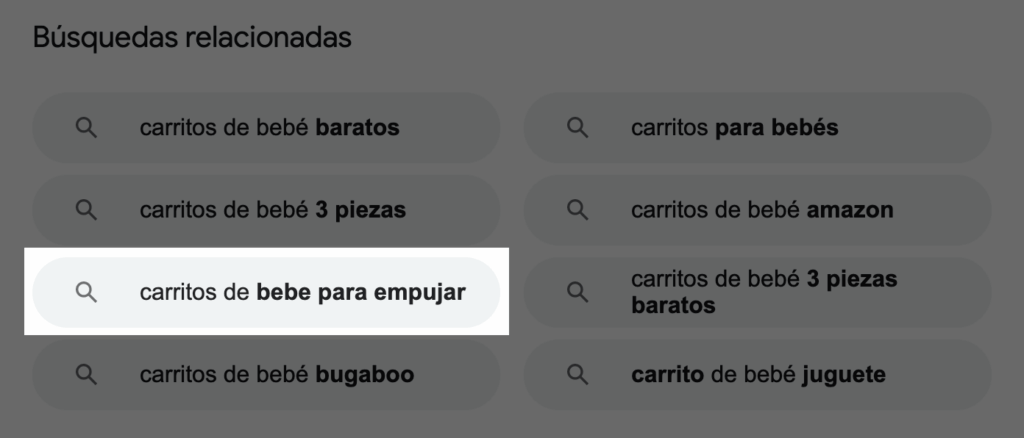 Related searches for “carritos de bebé” (baby strollers)
Extract People Also Ask (PAA): the questions people ask Google
What tools like the ones above usually do is build combinations with “what”, “how”, “where”, “why”, “who”, “when”, “which”… whether they make sense or not! So you could be putting resources into something that gets you zero results.
SISTRIX's “Questions” report, on the other hand, shows you the questions found in the SERP for the keyword you searched (PAA box).
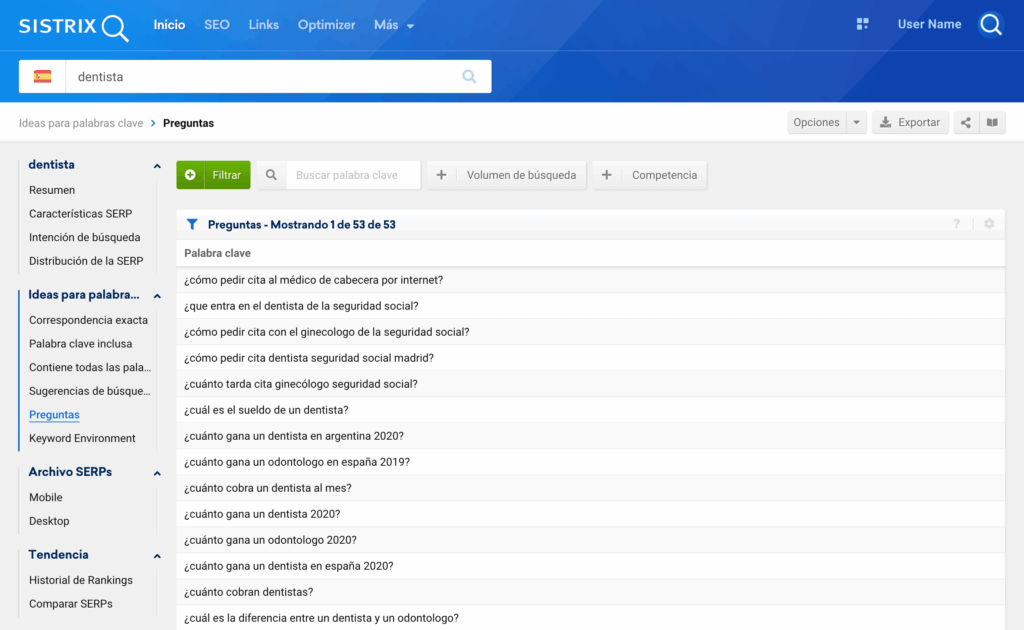
Keyword clustering
Keyword clustering, or grouping, is the final step of any keyword research. It's the hardest and most time-consuming step, right? Well, that was true until today, because now you can do it in one click with SISTRIX 🙂
Before clustering with SISTRIX, you'll need to create a keyword list in SISTRIX:
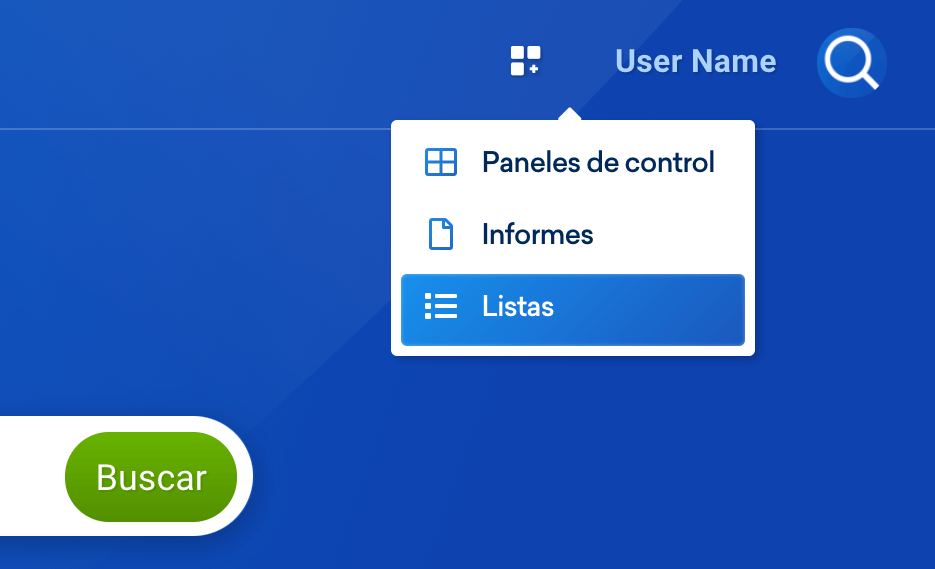
Make it a “Keyword” type list:
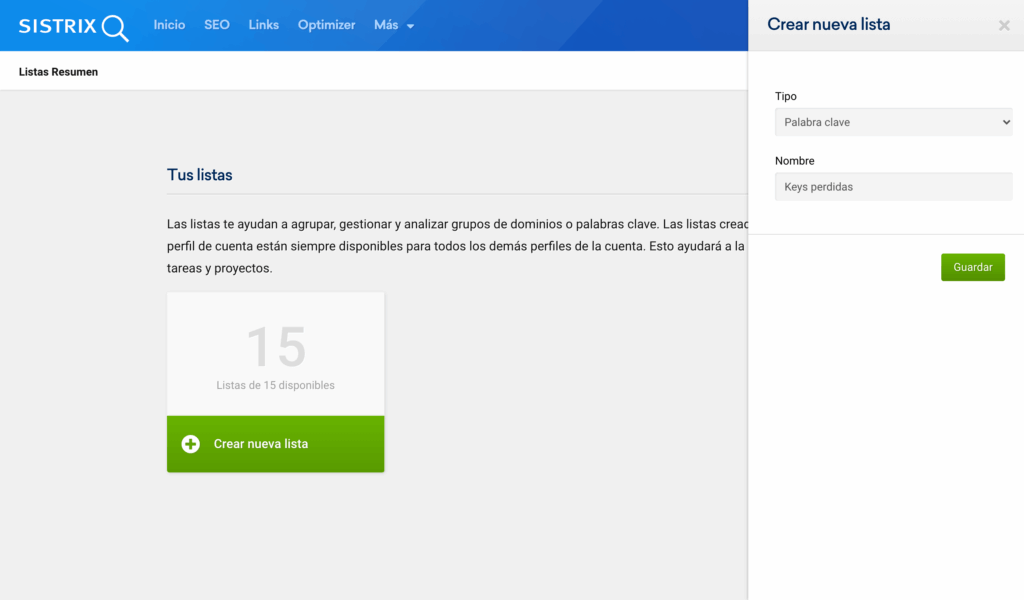
Then add all the keywords you want to analyze together:
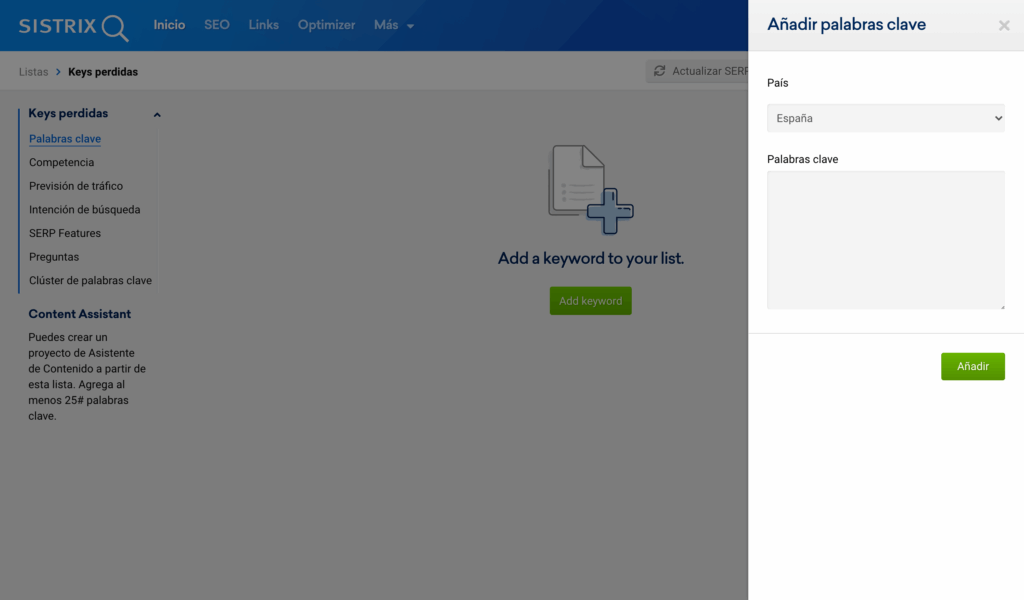
With SISTRIX lists you can:
- Extract the search volume for a list of keywords.
- See the Market Share for a list of keywords.
- Classify keywords by search intent.
- Extract every possible question (PAA) after doing keyword research.
- And cluster keywords!
Clustering means grouping similar keywords together, which can be very useful to:
In the image below you can see the clustering of a GAP analysis:
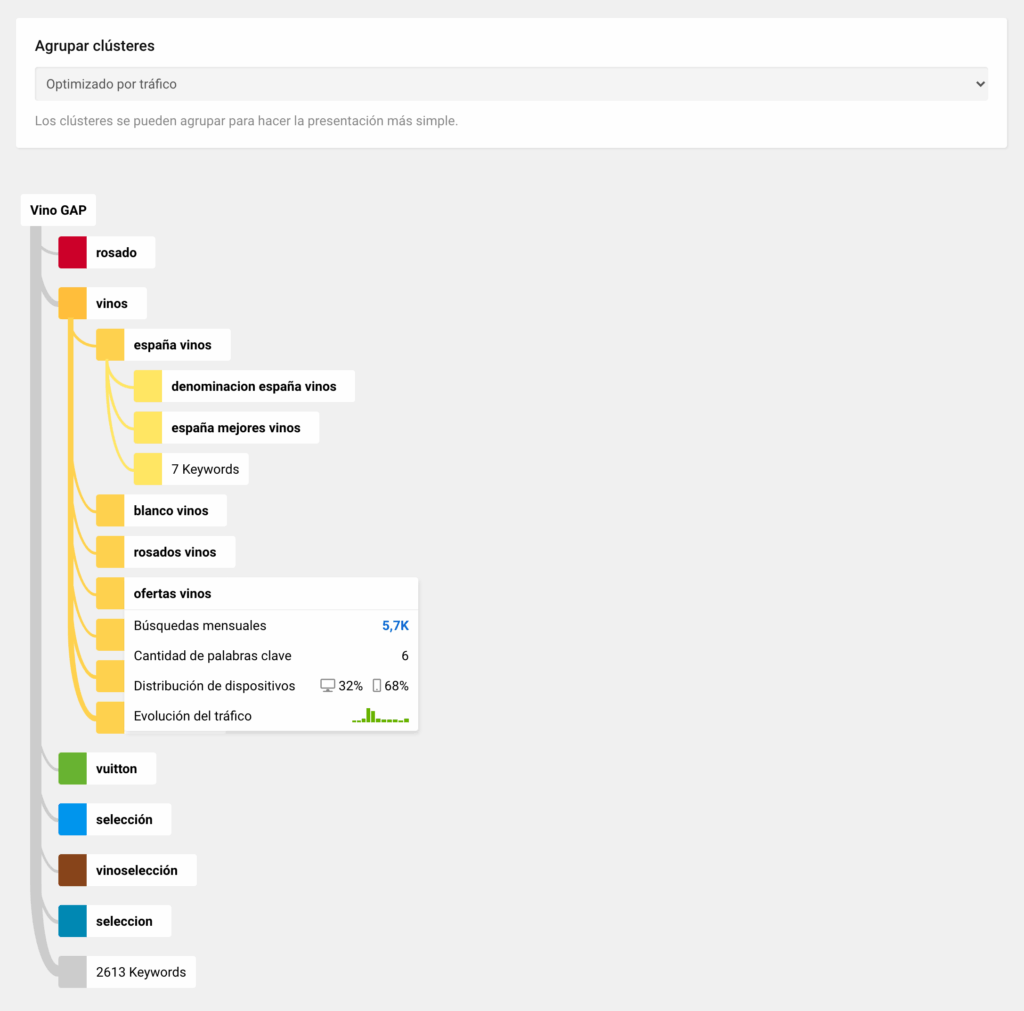
Now all that's missing is the option to export this report, and I'll take my “white” hat off to them.
As you can see, SISTRIX is a tool that gets better every day and helps us do our SEO work better and faster.
In upcoming posts we'll look at: